‘Have the setting on,’ iPhone calls 911 and saves crashed teen’s life
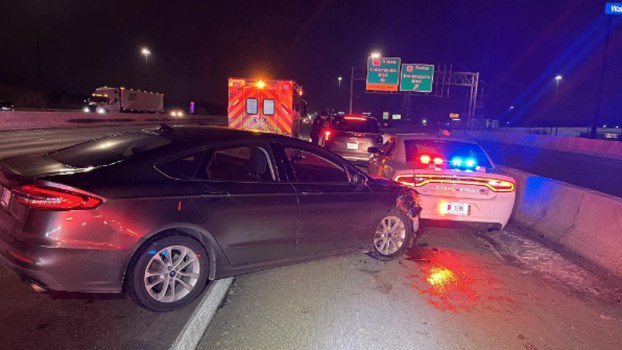
In the early hours of August 2, Laura Leskovac answered one of the most terrifying phone calls a mother can receive. Her 16-year-old daughter, Lindsay, had fallen asleep at the wheel and crashed their truck. She had fractured her pelvis and hip, and broken vertebrae in her upper spine. But she was alive—all thanks to an iPhone safety feature Laura hadn’t even known about.
How Lindsay Leskovac’s iPhone saved her life
Lindsay Leskovac had just dropped off a friend, then began to drive home alone. She says she tried to stay awake but nodded off behind the wheel. The pickup truck she was driving hit two poles and a stand of trees before stopping near a body of water. She was knocked unconscious, severely injured, and trapped in the truck. Then her iPhone 14 began talking to her.
The phone lit up and said, “It looks like you’ve been in a crash.” It gave her a slider switch to call Emergency Services immediately or dismiss the alert. When she didn’t respond, the phone began a 10-second countdown to opt out of the call.
When Lindsay still didn’t respond, the phone called the nearest 911 dispatcher. It played an audio message on loop: “The owner of this iPhone was in a severe car crash and is not responding to their phone.” It also gave Lindsay’s latitude and longitude.
Lindsay woke to the sound of the dispatcher’s voice on her phone, which had automatically switched to speakerphone. Her mother said they spoke “for 22 minutes” while Lindsay waited for emergency services. Laura believes, “This technology enabled the rescue workers to be able to find her,” and doesn’t think Lindsay would have survived without her iPhone.
How does the iPhone’s crash detection feature work?
Every new iPhone has a gyroscope and accelerometer as part of its motion sensor assembly. It also includes a GPS, microphone, and even a barometer. Together, these sensors can detect the sudden, violent movement of a car crash.
This feature is available in iPhone 14 and later models, as well as recent Apple Watches. It is automatically turned on. It’s a good idea to configure your Medical ID with any information emergency services may need, including emergency contacts. Your iPhone will also notify your emergency contacts if it detects a crash.
This isn’t especially new technology: Vehicles have had inertia switches to shut off their fuel flow in the event of a crash for decades. But Apple’s been able to miniaturize the technology and is saving lives.
If you carry your iPhone during extreme sports that might trigger crash detection, it’s wise to turn the feature off in your Emergency SOS settings—just remember to switch it back on. You can see how in the video embedded below: